iPubsoft Studio provides
Professional PDF Converter, ePub Creator and iPad/iPhone/iPod Tools


 System Requirements
 Download Security
Reasons to Choose Android Desktop Manager App (Upcoming)
- You may have lots reasons to explain why you need to select an App version of Android Desktop Manager software for yourself. For example, the app version is more conveniently than the PC version, because you can use it to speed up your device at anytime, and the app version will help you solve the connection problem completely.
Connect Wirelessly to Transfer Android Data (Upcoming)
- While your Android device and computer are under in the same WiFi network, you can connect the device to the desktop PC by simply scanning the QR code in the screenshot,
- After the connection, you can directly transfer data like photos, movies, music, contacts & more from Android phone or tablet to the desktop icon.
Optimize or Speed up Your Device Easily
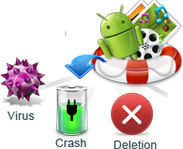
- Launched lots of apps and find your device runs so slowly? Don't worry, you can use the speed boost function to free up RAM storage on your device and speed up games, apps and other processes on your device freely.
Clean Your Android Device Completely
- No matter what kinds of junk files you have like caches, cookies, temp files, etc., you can scan your device and wipe them out of your phone with 1 simple click.
High Compatibility
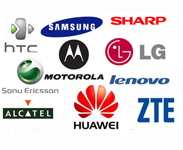
- Generally speaking, the Android Manager App version can support almost all Android brands, including HTC, Samsung, LG, Motorola, Sony, Huawei, etc.

100% safe
Performs READ-ONLY operations to recover lost Android data to avoid causing any damage to the data on Android devices.

Easy to use
Friendly user interface and step by step wizard made the whole Android file recovery process as easy as scan, select and recover.
What People Say?
"Clean up Love it!! Works like a gem!! I Like how it cleans up your apps and removes any unwanted files. Great for transferring my music from my PC to my Android. "- By Jane
"I love the wireless connection function! It really helped me lots to make my phone be recognized by the program. Now, it works well between my Samsung S6 and PC. Thanks. "- From Elva
Awards